

Ask Claude to put your site online
Add Kivala Cloud to Claude, once. Then, in the conversation where it built your site, write “put my site online”: a few minutes later, it gives you an address with the padlock, to send to your customers or to anyone you like.
https://mcp.kivalacloud.com/mcpFree during the test phase, no credit card needed. You need a Claude account and a computer. Read the setup guide
How it works
Setup is done once, on a computer, in claude.ai or in the Claude app. Allow five minutes. Everything else then happens in the conversation.
Add the connector
In Claude, open Settings then Connectors, choose Add custom connector, name it Kivala Cloud and paste the address copied above.
Sign in
Claude opens a Kivala Cloud page. Enter your email there, then the six-digit code you receive.
Ask for it to go online
Go back to the conversation where your site is and write “put my site online with Kivala Cloud”.
Get the address
A few minutes later, Claude replies with an address like
your-site.kivalacloud.com, padlock included.
It covers every screen and gives the solution to the problems we know of.
Once the site is online, you keep talking to Claude
No dashboard to learn. Every request goes through the connector, and Claude answers you in the conversation.
“Change the price of the bowls to €28.”
Claude edits the site and puts it back online at the same address. The new version only replaces the old one once it responds properly.
Change the price of the bowls to €28.
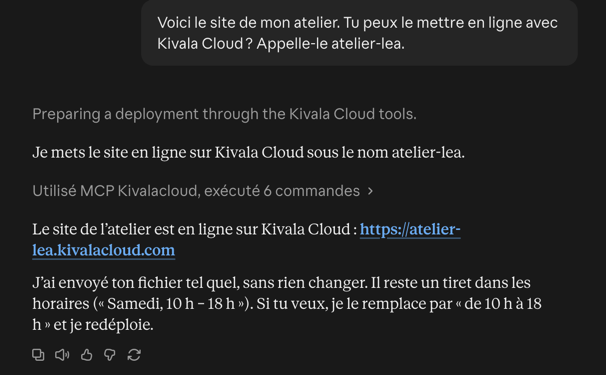
I’m changing the price of the bowls and putting the site back online.
Used MCP Kivalacloud, ran 2 commands
The bowls are now €28. The site is updated, at the same address: https://atelier-lea.kivalacloud.com
“Why has the Contact page stopped loading?”
Claude reads your site's logs, finds the error and explains it without jargon. Most of the time, it suggests the fix right away.
Why has the Contact page stopped loading?
I’m looking at the site’s logs.
Used MCP Kivalacloud, ran 1 command
The logs show a 404 error every time someone clicks Contact: the menu link points to contact.htm, but the page is called contact.html.
Shall I fix the link and put the site back online?
“My app needs my key.”
Claude gives you a link to a separate page, valid for thirty minutes. You enter the key yourself: it never goes through the conversation and stays encrypted.
“Delete my site.”
Claude first shows you what will disappear. Nothing is erased until you have given the exact name of the site, and the address is cut right after.
Delete the site atelier-lea
Used MCP Kivalacloud, ran 1 command
Nothing has been deleted yet. Deleting the site atelier-lea will cut its address immediately and erase the site. This is permanent.
To confirm, I need the exact name of the site.
atelier-lea
Used MCP Kivalacloud, ran 1 command
The site atelier-lea is deleted. Its address no longer responds.
Who Kivala Cloud is for
For people who built their site with Claude and don't want to learn hosting to publish it. Here are a few sites you can put online this way.
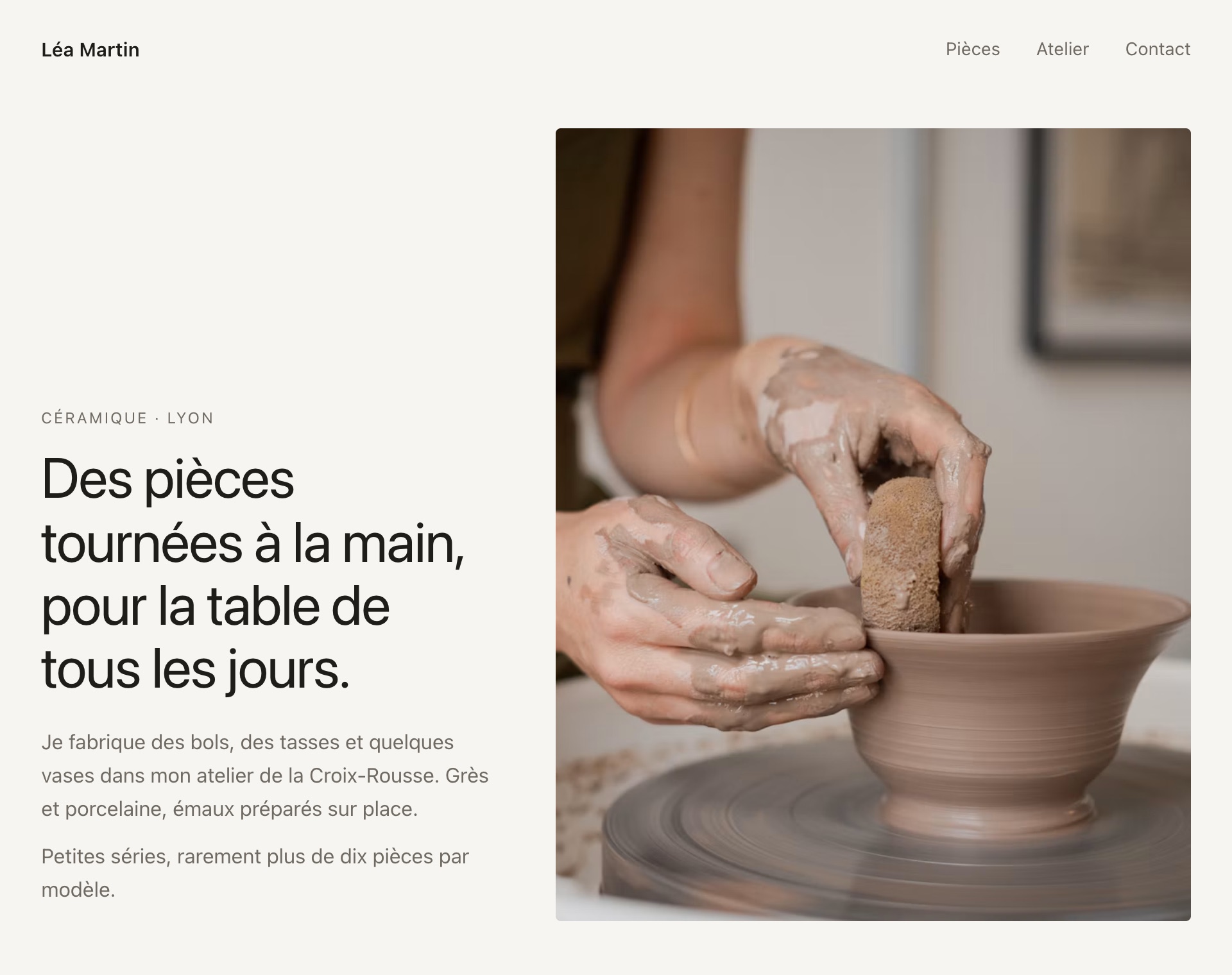
A craft workshop
Léa is a ceramicist in Lyon. Her site fits on one page: her pieces, her opening hours, the workshop's address. Claude wrote it in HTML, then put it online in one sentence, at the address atelier-lea.kivalacloud.com.
A club or association
The programme of outings, the membership form to download, the minutes. When the committee changes, one sentence is enough to update the page.
“Add the December 14 outing to the programme.”
your-association.kivalacloud.comA freelancer
A portfolio with a prices page, or a small quote simulator written in Python that your customers fill in online.
“Put my quote simulator online.”
your-name.kivalacloud.comA small shop
The catalogue, the opening hours, the directions. If your app uses a payment service, its key is entered on the page meant for keys.
“Change the opening hours for the holidays.”
your-shop.kivalacloud.comKivala Cloud, compared with other ways to publish a site
Our weak points are in the table. It's up to you to see what matters for your project.
| Criterion | Doing it yourself | A traditional host | Kivala Cloud |
|---|---|---|---|
| What you need to create | A server to rent, then to configure | A customer account, with a plan to choose | Nothing besides your Claude account and your email |
| Sending the site | On the command line or with a transfer program | Through the host's file manager | Claude sends it from the conversation |
| The HTTPS padlock | To install, then to monitor | Most often included | Included, no setup |
| When a page stops loading | You read the server logs | You write to support | Claude reads the logs and explains |
| Your own domain name | Possible | Generally offered | Not offered yet |
| Track record | The one you have | Years of operation for the best known | Service in its test phase, open to few people |
| Price | The server, plus your time | A plan, often paid yearly | Free during the test, then from €6.90 per month per site |
The table describes the most common cases. Some hosts also offer a connector for coding assistants, designed mainly for developers and sold with their plans.
Free during the test phase
No credit card is requested and nothing is billed. Each account can have up to three sites online.
After the test, the grid opposite will apply, with a notice period announced to testers.
See pricingEssential
€12per month
2 vCPU and 4 GB of memory, always on.
Comfort
€19per month
4 vCPU and 8 GB of memory, always on.
Advanced
€35per month
8 vCPU and 16 GB of memory, always on.
Office hours. For a site that is on from 8 am to 6 pm, expect €6.90 per month with 4 GB of memory, or €9.90 with 8 GB. Prices are per site.
VAT not applicable, article 293 B of the French Tax Code.
What protects your site
These figures come from the service's code, not from a sales promise. The Security page details each point.
The sign-in code received by email. It works once and expires after ten minutes.
How long the link to enter a key stays valid, on a page Claude cannot see.
The maximum size of an upload. Every file goes through the antivirus before going online.
The encryption of your keys, tied to the single site you entered them for.
What isn't in place yet
Kivala Cloud has no security certification, neither ISO 27001 nor SOC 2. No backup of your sites is promised during the test: keep a copy of your project on your side.
Frequently asked questions
Short answers to the questions we are asked most often.
The others are on the Questions page.
For anything else, write to bonjour@kivalacloud.com.
Do I need to know how to code?
No technical knowledge is required. If Claude wrote your site, it also knows how to send it.
What do I need?
A Claude account and an email address. You also need a computer to add the connector the first time.
Does my site stay online when I close Claude?
Your site runs on its own, whether the conversation is open or not, whether your computer is on or off. You only go back to Claude to edit it, read its logs or delete it.
What address will my site have?
During the test, it ends in .kivalacloud.com, like atelier-lea.kivalacloud.com. You choose the start of the name by giving it to Claude. Custom domain names aren't offered yet.
Who can see my site?
Anyone who has the link. The address is public, so don't put anything private on it.
What does Kivala Cloud see of my conversations?
Only what Claude passes to it for your sites: the files, the chosen name and your requests to put online, check status, read logs or delete. The rest of the conversation never reaches it.
Put the site Claude built with you online
https://mcp.kivalacloud.com/mcpFree during the test phase. Read the setup guide